 Scientify
Setting up your environment this way avoids most errors on this page.
| Practice | What happens if you skip it |
|---|---|
| Install R packages from one source only: all prebuilt from conda-forge, or all from CRAN, never mixed. | Mixing compiles Matrix and the packages that depend on it against different interfaces, so loading fails with errors such as CsparseMatrix_validate. |
| On Linux, install the libxml2, libcurl, fontconfig, harfbuzz, fribidi, freetype and libpng development packages before Seurat; on Windows, install the Rtools that matches R first. | Each missing library fails a package on its own, so you add one and retry, over and over. |
| Do not upgrade other packages while installing; after upgrading Matrix, reinstall its dependents from source. | Once Matrix and its dependents drift apart, Seurat fails to load. |
| Record package versions with renv. | On a new machine or months later, newly installed versions may not match and the analysis cannot be reproduced. |
Troubleshooting by error message
Find your exact error message. Each entry gives the cause, the fix, and what may come up after the fix.
Error in validityMethod(as(object, superClass)) : object 'CsparseMatrix_validate' not found
Cause: Matrix does not match the Seurat or SeuratObject version.
Fix: Check the Matrix version, then reinstall SeuratObject and Seurat from source.
What may come next: If Matrix is upgraded again later, other packages compiled against it, such as irlba, raise the same kind of error.

object 'Csparse_validate' not found (seen in S4 method calls such as plot)
Cause: The same version mismatch as above, raised inside plotting and other functions.
Fix: Run library(Matrix) before loading Seurat; if it still fails, reinstall as in the previous entry.
function 'as_cholmod_sparse' not provided by package 'Matrix'
Cause: irlba or TFBSTools was compiled against an older Matrix, and Matrix is now 1.6-2 or newer.
Fix: Reinstall irlba from source: install.packages('irlba', type = 'source', force = TRUE).
What may come next: If Matrix is upgraded again later, other packages compiled against it, such as irlba, raise the same kind of error.
function 'sexp_as_cholmod_sparse' not provided by package 'Matrix'
Cause: After Matrix was upgraded, a package that depends on it still uses the old compiled interface.
Fix: Reinstall irlba from source: install.packages('irlba', type = 'source').
What may come next: If Matrix is upgraded again later, other packages compiled against it, such as irlba, raise the same kind of error.
object 'CRsparse_colSums' not found
Cause: TFBSTools was compiled against an older Matrix.
Fix: Reinstall from source: BiocManager::install('TFBSTools', type = 'source', force = TRUE).
What may come next: If Matrix is upgraded again later, other packages compiled against it, such as irlba, raise the same kind of error.
Error: package or namespace load failed for 'Seurat': object 'markvario' is not exported by 'namespace:spatstat'
Cause: After spatstat was upgraded, a function Seurat uses is no longer exported.
Fix: Upgrade to a Seurat release that fixes this.
What may come next: Upgrading Seurat also upgrades SeuratObject, which may then mismatch Matrix.
ERROR: lazy loading failed for package 'Seurat'
Cause: Seurat failed during loading, usually because spatstat or SeuratObject versions do not match.
Fix: Find the first ERROR before Seurat in the log and fix that package; do not upgrade other packages at the same time.
Error: object 'integral' not found whilst loading namespace 'spatstat.core'
Cause: spatstat.core does not match the other spatstat packages.
Fix: Reinstall Seurat from CRAN so it brings matching spatstat packages.
ERROR: dependency 'Matrix' is not available
Cause: Matrix failed to install, so everything that depends on it fails too.
Fix: Install Matrix on its own, read its own error, then reinstall SeuratObject and Seurat.
ERROR: lazy loading failed for package 'SeuratObject'
Cause: SeuratObject failed to load, usually because Matrix is older than it requires.
Fix: Upgrade Matrix to the version SeuratObject requires, then reinstall SeuratObject.
What may come next: If Matrix is upgraded again later, other packages compiled against it, such as irlba, raise the same kind of error.
Function rcpp_precious_remove not provided by package rcpp
Cause: The installed Rcpp does not match the packages that depend on it.
Fix: Run install.packages('Rcpp'), then fully restart R.
What may come next: After updating Rcpp, other packages compiled with the old Rcpp may need reinstalling too.
WARNING: Rtools is required to build R packages, but is not currently installed.
Cause: Windows has no Rtools matching the current R version, so R packages cannot be compiled.
Fix: Install Rtools44 for R 4.4.x or Rtools45 for R 4.5.x, then restart R.
What may come next: With Rtools installed, R compiles packages locally, which can surface new compile errors.
‘make’ not found (with Compilation ERROR, function(s)/method(s) not created!)
Cause: Rtools does not match the R version, so R cannot find make.
Fix: Reinstall the Rtools that matches your R version, then restart R.
DLL MD5 mismatch, broken installation
Cause: The installed rstan DLL does not match the current R setup.
Fix: Reinstall rstan, restart R, and confirm it loads.
What may come next: After a major R upgrade, many compiled packages show similar problems and need reinstalling.
gfortran: command not found
Cause: On macOS, R cannot find gfortran or finds one that does not match R.
Fix: Install the gfortran recommended on the CRAN tools page and set FC to its full path in ~/.R/Makevars.
unknown type name 'uuid_t'; did you mean 'uid_t'?
Cause: On macOS, the system headers and the compiler are incompatible when building RcppAnnoy.
Fix: Update the Xcode command line tools, install RcppAnnoy on its own, and read the full log.
ERROR: compilation failed for package 'RcppAnnoy'
Cause: RcppAnnoy failed to compile, so uwot, which depends on it, fails too.
Fix: Find the make error line in the RcppAnnoy log, fix it, then install uwot.
ERROR: dependencies 'RcppAnnoy', 'dqrng' are not available for package 'uwot'
Cause: RcppAnnoy and dqrng failed to install.
Fix: Fix the RcppAnnoy compile error first, then reinstall uwot and Seurat.
Package libxml-2.0 was not found in the pkg-config search path.
Cause: The libxml2 development package is missing on Linux.
Fix: Run sudo apt install -y libxml2-dev.
What may come next: After this library is installed, the next package often needs a different one, and packages such as tidyverse need several in a row.
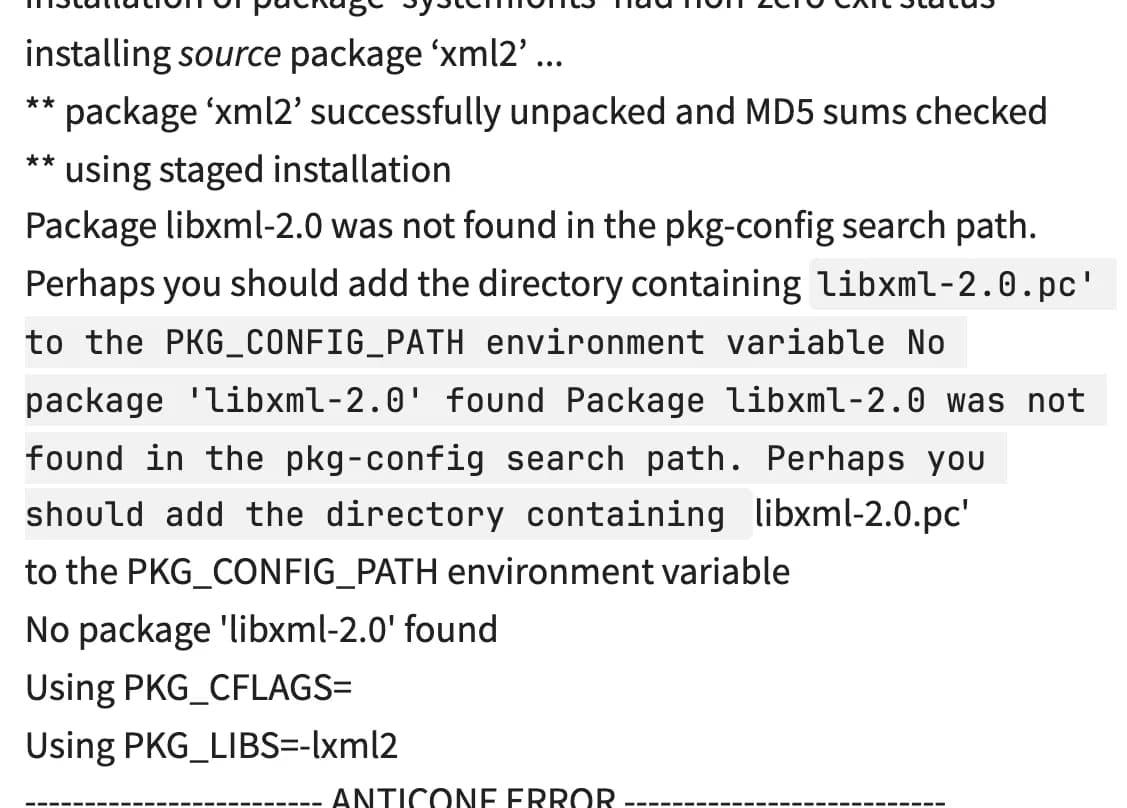
Package libcurl was not found in the pkg-config search path.
Cause: The libcurl development package is missing on Linux.
Fix: Run sudo apt install -y libcurl4-openssl-dev.
What may come next: After this library is installed, the next package often needs a different one, and packages such as tidyverse need several in a row.
fatal error: curl/curl.h: No such file or directory
Cause: The curl development package is missing, so the compiler cannot find the header.
Fix: Run sudo apt install -y libcurl4-openssl-dev.
What may come next: After this library is installed, the next package often needs a different one, and packages such as tidyverse need several in a row.
Package fontconfig was not found in the pkg-config search path.
Cause: The fontconfig development package is missing on Linux.
Fix: Run sudo apt install -y libfontconfig1-dev.
What may come next: After this library is installed, the next package often needs a different one, and packages such as tidyverse need several in a row.
Package freetype2 was not found in the pkg-config search path.
Cause: The freetype development package is missing on Linux.
Fix: Run sudo apt install -y libfreetype6-dev; to see everything still missing, list system requirements with pak::pkg_sysreqs('tidyverse').
What may come next: After this library is installed, the next package often needs a different one, and packages such as tidyverse need several in a row.
ERROR: configuration failed for package 'textshaping'
Cause: The harfbuzz and fribidi development packages are missing.
Fix: Run sudo apt-get install -y libharfbuzz-dev libfribidi-dev.
What may come next: After this library is installed, the next package often needs a different one, and packages such as tidyverse need several in a row.
had non-zero exit status
Cause: One package failed, so R stopped installing the rest; this line is only the result.
Fix: Scroll up to the first ERROR, fix the package it names, then install again.
fatal error: png.h: No such file or directory
Cause: The libpng development package is missing.
Fix: Run sudo apt -y install libpng-dev.
What may come next: After this library is installed, the next package often needs a different one, and packages such as tidyverse need several in a row.
libmkl_rt.so.1: cannot open shared object file: No such file or directory
Cause: The conda bin folder is on PATH, so compilation picked up conda's MKL library.
Fix: Run conda deactivate, make sure no Anaconda folder is on PATH, then start R from that terminal and reinstall igraph.
What may come next: When conda and system R share a machine, other compiled packages may also link against conda libraries.
undefined symbol: HDfprintf
Cause: hdf5r was compiled against a different HDF5 library from the one loaded at runtime.
Fix: Remove extra HDF5 copies so only one remains, then reinstall hdf5r.
What may come next: With HDF5 coming from conda, the system and R at once, other packages that read h5 files can hit the same problem.
Error: Bioconductor version '3.9' requires R version '3.6'; see https://bioconductor.org/install
Cause: The requested Bioconductor version does not match the current R version.
Fix: Look up the Bioconductor version for your R at bioconductor.org/install and install that one.
What may come next: Upgrading R to get a newer Bioconductor means reinstalling most of your R packages.
unable to access index for repository http://cran.rstudio.com/src/contrib
Cause: A proxy, VPN or mirror problem means R cannot reach CRAN.
Fix: Turn off the VPN or set the proxy correctly, and switch to a reachable CRAN mirror.
MemoryError (leiden matrix method, Python side)
Cause: The matrix method of leiden passes data to Python and uses a lot of memory.
Fix: Use method = 'igraph' instead.
Assay5 objects and code written for v4
Cause: Objects created with SeuratObject 5 use the Assay5 class, so code written for Seurat 4 cannot find data in the old place.
Fix: Replace direct access to internal data with functions such as rownames().
Scientify is a cloud computer with research software installed and AI agents such as Codex and Claude Code built in. Describe what you need in one sentence, for example "run QC, clustering and cell-type annotation on this 10x single-cell dataset", and the agent uses the preinstalled Seurat to do the modeling and computation, with no software to install and no code to write.
Compared with installing more on your own computer, the cloud computer already has R 4.4.3, Seurat 5.5.1, SeuratObject 5.4.0 and Matrix 1.7-5 matched, plus DESeq2, clusterProfiler, tidyverse and Python scanpy, and runs continue after you close your laptop.
The cloud computer comes with more computing power: CPU and GPU clusters can be called on demand for large-scale scientific computing. Compute is billed by the minutes you actually use, so nothing is wasted.
- Cloud computer
- 4 vCPU · 8 GB
- Top configuration, for data processing and small to medium jobs
- Callable GPU
- 96 GB VRAM
- Up to an RTX PRO 6000 per GPU; H800 80 GB and up to 8 × A10G also available
- Callable CPU
- 224 cores · 3 TB
- Largest spec, for large parallel computations
References
- Seurat issue 6746: object 'CsparseMatrix_validate' not found — Original error, the Csparse_validate variant, and the Matrix versions and fixes reported by users
- Seurat issue 7581: Csparse_validate error — Similar error and reports on Matrix 1.6-1
- Seurat issue 8202: CRsparse_colSums and as_cholmod_sparse — Matrix 1.6-1 and 1.6-2 boundary, and reinstalling irlba and TFBSTools from source
- Seurat discussion 8122: function 'as_cholmod_sparse' not provided by package 'Matrix' — Error text and the steps users tried
- scverse forum: sexp_as_cholmod_sparse error — Reinstalling irlba under Matrix 1.6.1.1
- Seurat issue 4221: package or namespace load failed for 'Seurat' — The markvario and spatstat error, and the report of downgrading spatstat to 1.64-1
- Seurat issue 4283: spatstat.core and missing dependencies — The integral error, dependency 'Matrix' and the SeuratObject error chain
- Seurat discussion 8234: Assay5 and dimnames — Observation that the assay class is Assay5, and the report of downgrading to Seurat 4.4.0
- Technical note on the rcpp_precious_remove error — Error text and the Rcpp update fix. This is a third-party page.
- Posit forum: tidyverse install fails on Ubuntu — Exact text of the libxml-2.0, curl/curl.h, fontconfig and freetype2 errors, and apt package names
- Posit forum: R 4.3.1 non-zero exit status on Ubuntu 22.04 — textshaping configuration failure and the harfbuzz and fribidi development packages
- Posit forum: list tidyverse system requirements with pak — pak::pkg_sysreqs('tidyverse')
- TechOverflow: png.h error — png.h error and libpng-dev
- igraph forum: igraph install fails on Ubuntu 22.04 — libmkl_rt.so.1 error and the conda PATH fix
- CRAN: Rtools for each R version — R 4.4.x uses Rtools44, and R 4.5.x uses Rtools45
- pkgbuild source: Rtools warning text — The Rtools is required warning and the version mismatch message
- Stan forum: rstan with R 4.4.0 and Rtools44 — Compilation ERROR, ‘make’ not found and DLL MD5 mismatch reports
- CRAN: macOS tools page — The universal GNU Fortran compiler, and the fact that Xcode has no Fortran compiler
- R-SIG-Mac mailing list: gfortran: command not found — Setting FC to the full path
- Posit forum: Seurat install fails on macOS — RcppAnnoy and uwot compile errors, and the uuid_t error
- Posit forum: CRAN index cannot be accessed — The unable to access index message and the proxy fix
- BiocManager documentation: version and R mismatch error — Example error Bioconductor version '3.9' requires R version '3.6'
- leiden R package documentation: Python dependency — The leidenalg and igraph Python modules and the pip install command
- leidenalg issue 155: MemoryError in the leiden matrix method — MemoryError and the method = 'igraph' report
- Seurat reference: FindClusters — leiden_method default leidenbase, and the deprecated method argument
- hdf5r issue 210: undefined symbol: HDfprintf — Error from an inconsistent HDF5 library
- CRAN: Seurat package page — Depends and Imports minimums; the page shows version 6.0.0
- CRAN: SeuratObject package page — Depends and Imports minimums for version 5.4.0