 Scientify
Setting up your environment this way avoids most errors on this page.
| Practice | What happens if you skip it |
|---|---|
| Give each potential package (MACE, SevenNet, MatterSim) its own environment. | Together their e3nn versions clash and pip reports ResolutionImpossible. |
| Check the CUDA version your driver supports with nvidia-smi, pick the matching PyTorch, then install MACE. | Swapping PyTorch after MACE means realigning extensions and CUDA, often ending in driver too old or no kernel image. |
| Pin mace-torch to one version instead of upgrading casually. | Upgrades also change e3nn and arguments, so old code may raise TypeError and old models may fail to load. |
| Download model weights once and load them from a local path. | Otherwise every run downloads them, and flaky networks give Model download failed. |
Troubleshooting by error message
Find your exact error message. Each entry gives the cause, the fix, and what may come up after the fix.
ERROR: Cannot install A and B because these package versions have conflicting dependencies. (pip reports ResolutionImpossible)
Cause: Two packages require mutually exclusive versions of the same dependency, usually e3nn.
Fix: Install MACE in one environment and SevenNet or MatterSim in another.
What may come next: Each environment then has its own PyTorch, so moving one to a GPU build means matching CUDA separately in each.
And because mattersim==1.0.0 depends on e3nn==0.5.0 and graph-pes>=0.0.34 depends on e3nn==0.4.4, we can conclude that
Cause: One package needs e3nn 0.5.0 and the other 0.4.4, so no single environment works.
Fix: Install the two packages in separate environments; do not edit the e3nn version just to pass resolution.
What may come next: Forcing an e3nn version may install, but loading models can then fail or give wrong results.
undefined symbol: _ZNK5torch8autograd4Node4nameEv
Cause: An extension such as torchaudio was built for a different PyTorch than the one installed.
Fix: Reinstall PyTorch and the extension from the same source with matching versions.
What may come next: Reinstalling PyTorch affects every package that depends on it, so MACE and others may need new versions too.
FileNotFoundError: Cannot find DGL C++ graphbolt library at ... libgraphbolt_pytorch_2.9.0.so
Cause: The prebuilt DGL library was compiled for a different PyTorch version.
Fix: Uninstall DGL and install the DGL version that matches your PyTorch.
What may come next: Newer PyTorch releases often have no prebuilt DGL, leaving a source build as the only option.
TypeError, caused by passing the warmup argument (mace-torch 0.3.17 and later)
Cause: mace-torch 0.3.17 removed the warmup argument of MACECalculator.
Fix: Remove the warmup argument; if your code needs it, pin mace-torch to 0.3.16.
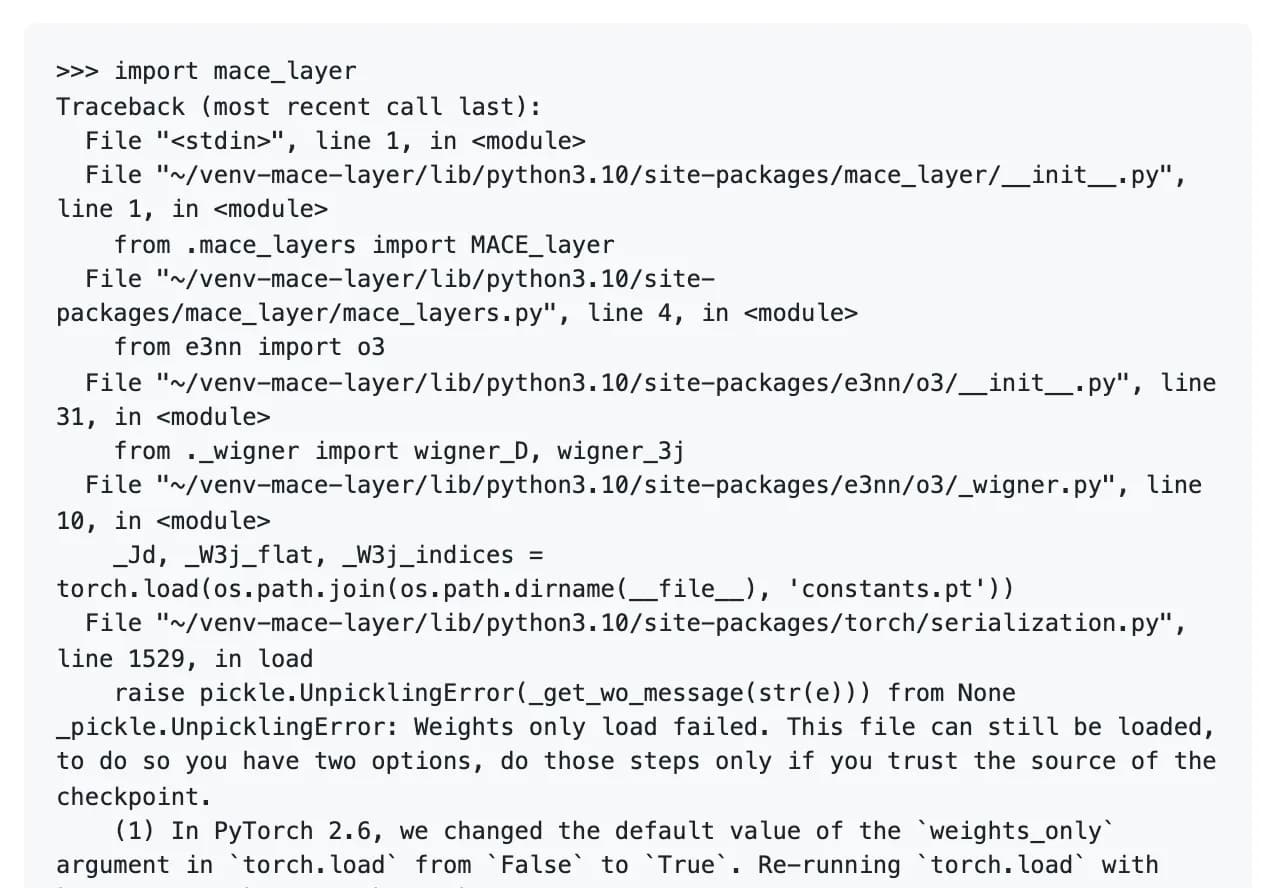
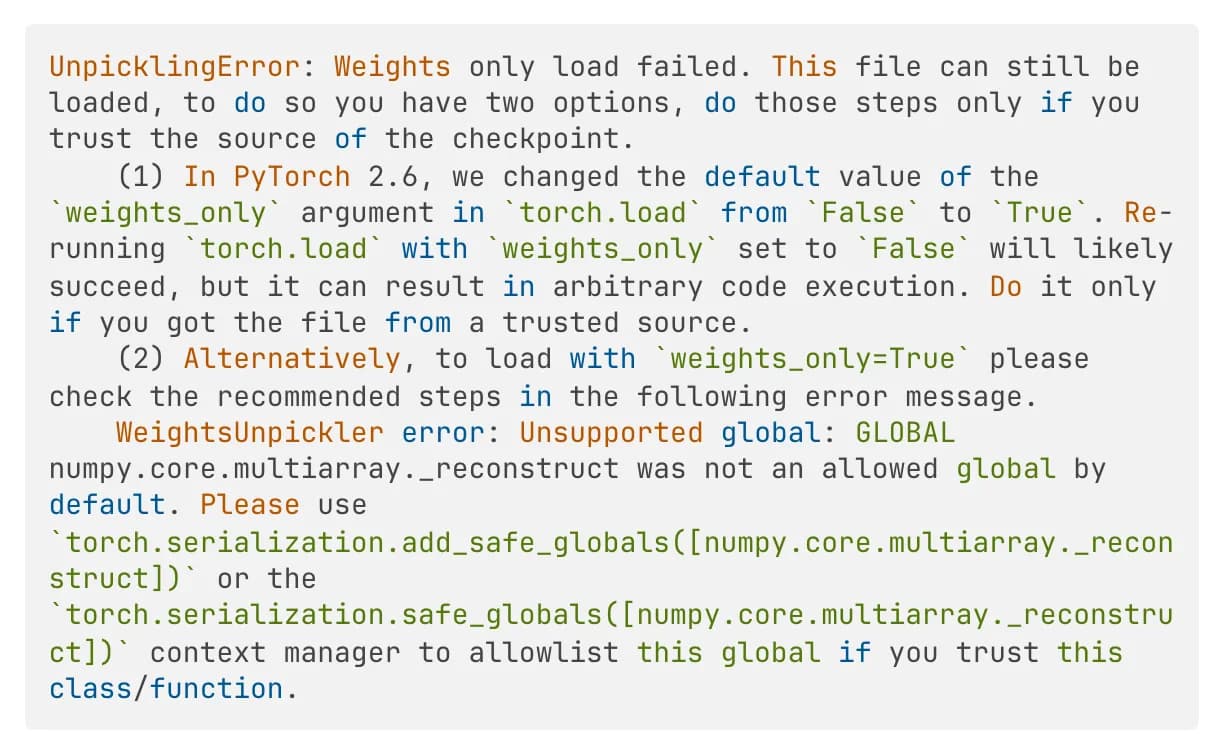
_pickle.UnpicklingError: Weights only load failed. This file can still be loaded, to do so you have two options,
Cause: From PyTorch 2.6, torch.load loads only weights by default, and older MACE model files contain other objects.
Fix: Upgrade mace-torch to 0.3.11 or later and load models with mace_mp or MACECalculator.
What may come next: Upgrading mace-torch also moves e3nn and other dependencies, which may conflict with other potentials in the environment.
Model download failed, please check the URL https://...
Cause: MACE cannot reach the model URL on GitHub and has no local copy.
Fix: Download the model file on a machine with network access, copy it over, and load it from the local path.
RuntimeError: expected scalar type Double but found Float
Cause: The model parameters and the input data use different precision.
Fix: Convert the input to float32 or the model to float64 so both match.
AssertionError: Torch not compiled with CUDA enabled
Cause: The installed PyTorch is a CPU build.
Fix: On a CPU, set device to cpu; for a GPU, uninstall PyTorch and install the CUDA build that matches your driver.
What may come next: After switching to a CUDA build, MACE, torchaudio and other packages that depend on PyTorch may need reinstalling.
UserWarning: CUDA initialization: The NVIDIA driver on your system is too old (found version 10010).
Cause: The GPU driver supports an older CUDA than PyTorch needs.
Fix: Run nvidia-smi to see the CUDA version the driver supports, then update the driver or use a PyTorch built for that version or lower.
What may come next: On shared servers you usually cannot update the driver, and downgrading PyTorch may conflict with what MACE requires.
RuntimeError: CUDA error: no kernel image is available for execution on the device
Cause: The installed PyTorch was not built for this GPU's architecture.
Fix: Install a PyTorch build that supports this GPU architecture.
What may come next: New GPUs are often supported only by new PyTorch releases, which may not match the extensions you already have.
#error -- unsupported GNU version! gcc versions later than 8 are not supported!
Cause: The system gcc is newer than this CUDA supports, or an old nvcc comes first on PATH.
Fix: Check which CUDA you are using with which nvcc and nvcc --version; if gcc really is too new, build with a gcc version CUDA supports.
What may come next: Switching gcc can cause link errors in other programs built with the newer gcc.
Scientify is a cloud computer with research software installed and AI agents such as Codex and Claude Code built in. Describe what you need in one sentence, for example "relax this crystal structure with MACE-MP, then compute its phonon spectrum", and the agent uses the preinstalled MACE to do the modeling and computation, with no software to install and no code to write.
Compared with installing more on your own computer, the cloud computer already has mace-torch 0.3.16, e3nn 0.4.4 and PyTorch 2.14.1 matched, SevenNet, MatterSim and fairchem in a second ready-made environment, and model weights stored locally, and runs continue after you close your laptop.
The cloud computer comes with more computing power: CPU and GPU clusters can be called on demand for large-scale scientific computing. Compute is billed by the minutes you actually use, so nothing is wasted.
- Cloud computer
- 4 vCPU · 8 GB
- Top configuration, for data processing and small to medium jobs
- Callable GPU
- 96 GB VRAM
- Up to an RTX PRO 6000 per GPU; H800 80 GB and up to 8 × A10G also available
- Callable CPU
- 224 cores · 3 TB
- Largest spec, for large parallel computations
Sources
- pip documentation: Dependency Resolution (ResolutionImpossible and the conflict message format) — Format of the ERROR: Cannot install ... because these package versions have conflicting dependencies. message
- TorchSim PR #188 (e3nn conflict in uv resolver output) — e3nn requirements of mattersim and graph-pes
- mace-layer issue #4 (full Weights only load failed message, mirror page) — Error text, the e3nn constants.pt load path, and the e3nn==0.4.4 pin
- PyTorch forum: UnpicklingError when loading a trained model — The same error and the two options for weights_only
- MACE documentation: Foundation models — Default model changed to medium-mpa-0 from 0.3.10; GitHub release download
- MACE source: foundations_models.py — Text of the Model download failed messages
- MACE GitHub release v0.3.17 — warmup argument removed; PyTorch 2.5 or later required
- NVIDIA cuEquivariance documentation: In depth example: MACE — The official MACE implementation uses the e3nn 0.4.4 group definition
- cuEquivariance changelog, version 0.11.1 — cuequivariance-ops-torch supports PyTorch 2.11 to 2.13; earlier wheels were ABI-locked to a PyTorch minor version
- PyTorch forum: RuntimeError: CUDA error: no kernel image is available for execution on the device — Error text and PyTorch GPU architecture support
- PyTorch forum: The NVIDIA driver on your system is too old (found version 10010) — Error text and the fix
- PyTorch forum: Torch not compiled with CUDA enabled — AssertionError text and the CPU build cause
- NVIDIA forum: unsupported GNU version error — Error text and the case of an older nvcc in PATH
- pytorch/audio issue #2731 (undefined symbol and mixed distributions) — Error text and the maintainer's explanation of mixed distributions
- DGL issue #7909 (Cannot find DGL C++ graphbolt library) — Error text, library file name, and the build-from-source conclusion
- PyTorch forum: RuntimeError: expected scalar type Double but found Float — Error text and the cause of float32 and float64 mismatch
- mace-torch source: mace/__init__.py (from v0.3.11) — Sets TORCH_FORCE_NO_WEIGHTS_ONLY_LOAD=1 on import; absent in v0.3.10 and earlier